npx @tavus/cvi-ui@latest add .... They are copied into your app, so import paths are relative to your generated component directory.
The docs below use relative imports such as
./components/cvi/components/conversation. Replace the prefix with the components path configured in your generated cvi-components.json.Conversation block
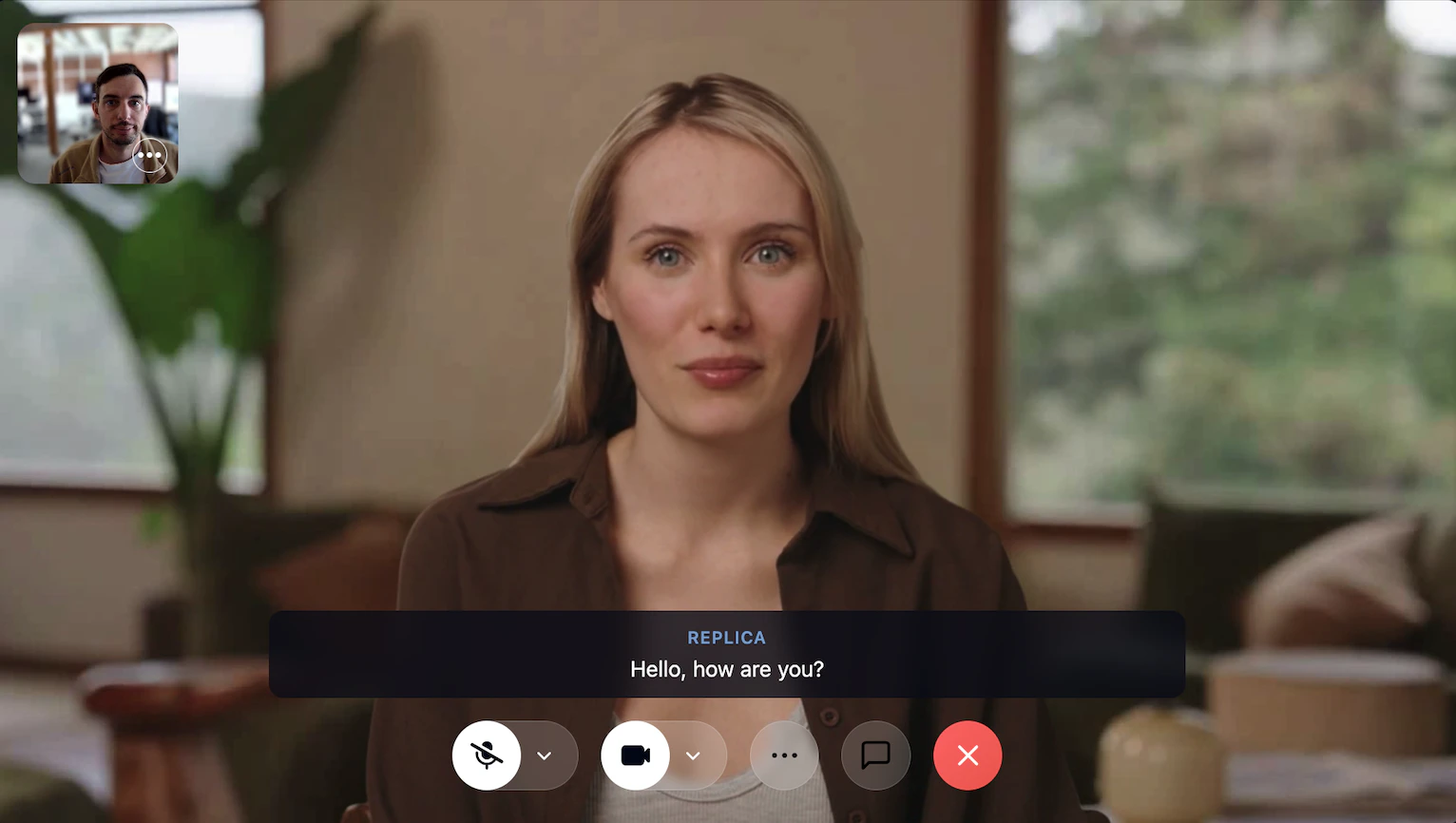
The Conversation component provides a complete video chat interface for one-to-one conversations with AI faces. Two variants are available:conversation-01 (full-featured, default) and conversation-02 (minimal).
conversation-01 (full-featured, default)
- Description
- Code
The default
Conversation block - a full-featured video chat surface for one-to-one conversations with AI faces.Features:- Main Video Display: Large video area showing the AI face or screen share
- Top-right Self-View: Square self-view preview pinned to the top-right of the main video
- Chat: Slide-in chat side panel with toggle button (built on the Chat module)
- Closed Captions: Live captions overlay with toggle button (built on the Closed Captions module)
- Screen Sharing: Automatic switching between face video and screen share
- Animated Connect / Leave States: Animated transitions when joining and leaving the call
- Device Controls: Integrated microphone, camera, and screen share controls
- Error Handling: Graceful handling of camera/microphone permission errors
- Responsive Layout: Adaptive design for different screen sizes
conversationUrl(string): Daily.co room URL for joiningonLeave(function): Callback when user leaves the conversation
conversation-02 (minimal)
- Description
- Code
A minimal
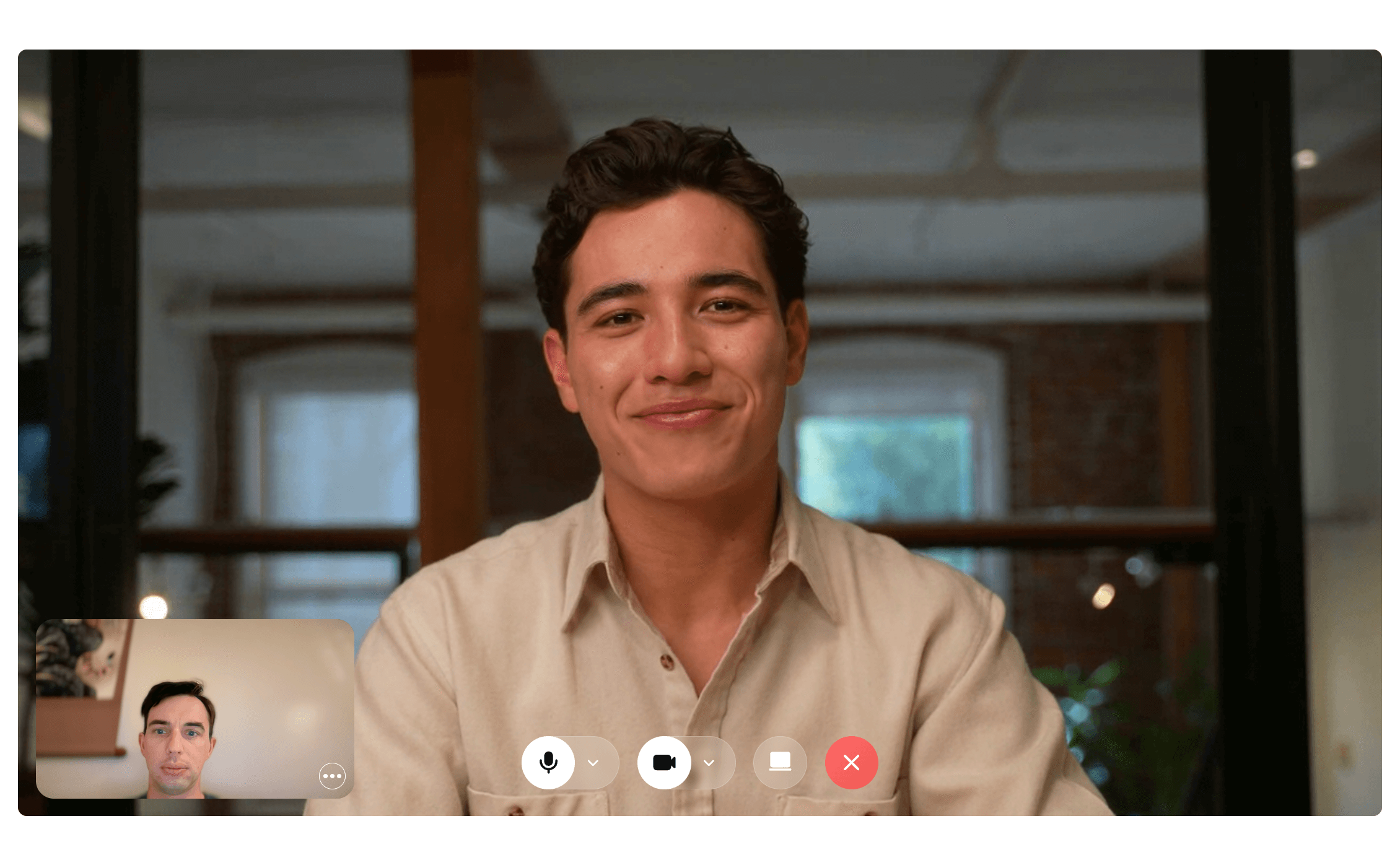
Conversation block - video plus the essential device and leave controls, without chat or captions. Use this when you want to compose your own UI around the call surface.Features:- Main Video Display: Large video area showing the AI face or screen share
- Self-View Preview: Small preview window showing local camera feed
- Device Controls: Microphone, camera, and screen share toggle buttons
- Leave Button: Disconnects from the call and fires
onLeave - Animated Connect / Leave States: Animated transitions when joining and leaving the call
- Error Handling: Graceful handling of camera/microphone permission errors
- Responsive Layout: Adaptive design for different screen sizes
conversationUrl(string): Daily.co room URL for joiningonLeave(function): Callback when user leaves the conversation
Hair Check
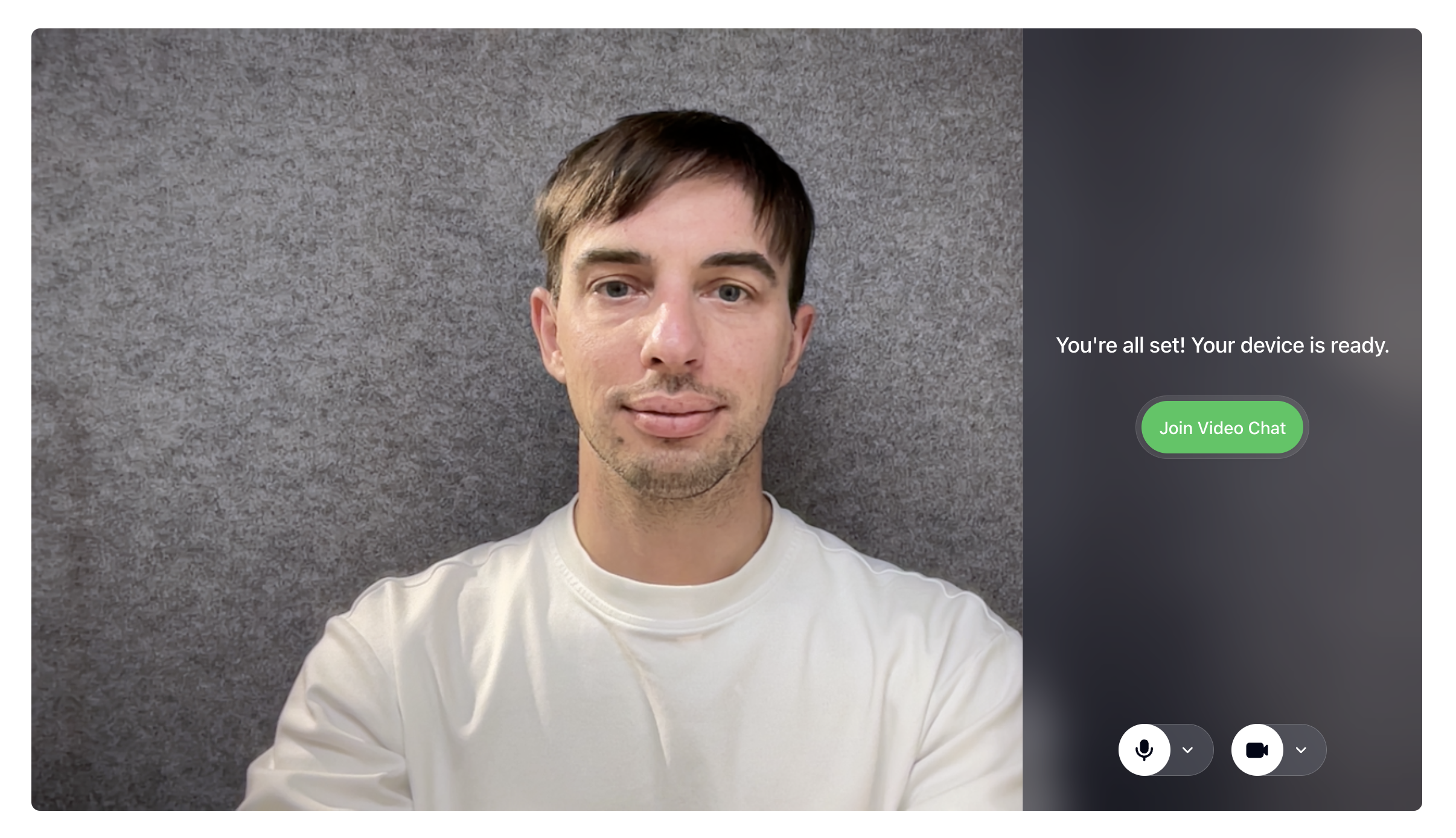
The HairCheck component provides a pre-call interface for users to test and configure their audio/video devices before joining a video chat.- Description
- Code
The
HairCheck component provides a pre-call interface for users to test and configure their audio/video devices before joining a video chat.Features:- Device Testing: Live preview of camera feed with mirror effect
- Permission Management: Handles camera and microphone permission requests
- Device Controls: Integrated microphone and camera controls
- Join Interface: Call-to-action button to join the video chat
- Responsive Design: Works on both desktop and mobile devices
isJoinBtnLoading(boolean): Shows loading state on join buttononJoin(function): Callback when user clicks joinonCancel(function, optional): Callback when user cancels