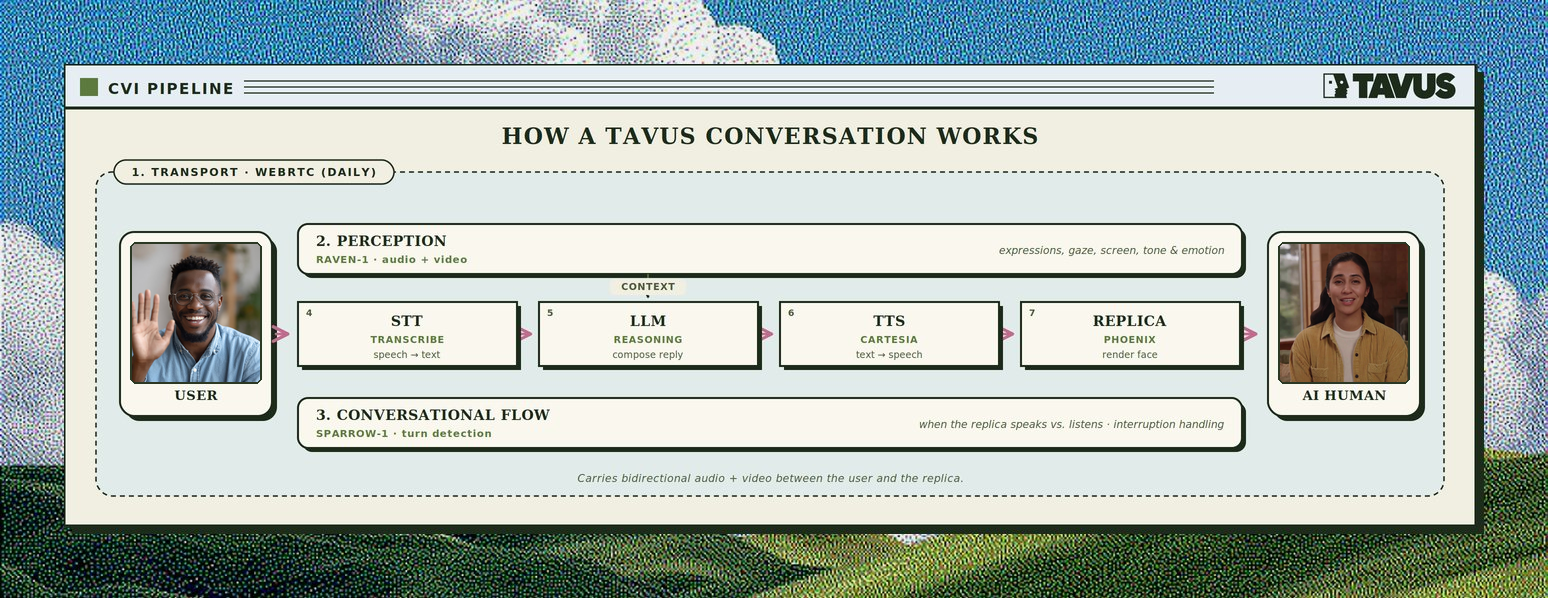
These modes are incompatible with Tavus’s perception and speech recognition layers. For the lowest latency and the full multimodal stack (perception, turn-taking, and rendering together), we recommend the full Tavus pipeline above.
If you already run conversational AI on LiveKit or Pipecat, you can still use a Tavus face for synchronized avatar video - see the dedicated guides for setup and API details.
LiveKit Agent - Tavus renders the Face in a LiveKit room alongside a LiveKit Agents voice assistant.
Pipecat - Tavus joins as a transport participant or supplies video via TavusVideoService while Pipecat runs the pipeline on Daily.